
The Hidden Frustration of Flat Sound
Have you ever worn your favorite pair of headphones and felt like the music was trapped inside your head? You know the feeling—the instruments sound bunched together, and the vocals lack that "in-the-room" presence you crave. It is a common struggle that turns a relaxing listening session into a dull, repetitive experience. You might adjust the volume or switch tracks, ;but the sound remains one-dimensional and uninspiring.
I remember saving up for months to buy a pair of high-end headphones, expecting them to absolutely blow my mind. But when I finally put them on, my favorite songs still sounded like they were squeezed right into the middle of my head. I honestly thought my ears were the problem, or maybe I had just wasted my money on hyped-up tech that did not actually work.
Why Your Current Audio Might Be Letting You Down
Many listeners struggle to find clarity because they are relying on standard stereo formats that cannot replicate real-world acoustics. Here is why you might be feeling stuck:
- Limited Soundstage: Traditional stereo forces sound into a strict left-and-right channel, ignoring the vertical and depth layers of audio.
- Information Overload: Cheap gear or poor software processing often masks subtle details, making your favorite songs sound muddy.
- Misleading Marketing: You buy expensive hardware expecting a "pro" feel, but without the right source material, you are just hearing a louder version of the same flat signal.
The Impact on Your Daily Mood and Focus
When your audio setup fails to deliver, it does more than just ruin a song; it affects your entire mood.
- Mental Fatigue: Constantly listening to flat, harsh sound patterns can cause listening fatigue, leaving you feeling drained after just an hour.
- Loss of Connection: You lose that deep, emotional bond with your music or movies because the experience feels robotic rather than organic.
- Diminished Confidence: Investing in tech that doesn't perform leaves you frustrated, making you doubt whether "premium" audio is even worth the effort.
The reality is that sound is meant to be spatial. In nature, sound waves bounce off walls, floors, and ceilings before reaching your ears. When your headphones ignore this, they are cutting out a huge portion of what makes sound feel "real." Understanding this gap is the first step toward reclaiming your audio experience. You deserve to hear the music exactly as the artists intended, with every note placed perfectly in a three-dimensional space.
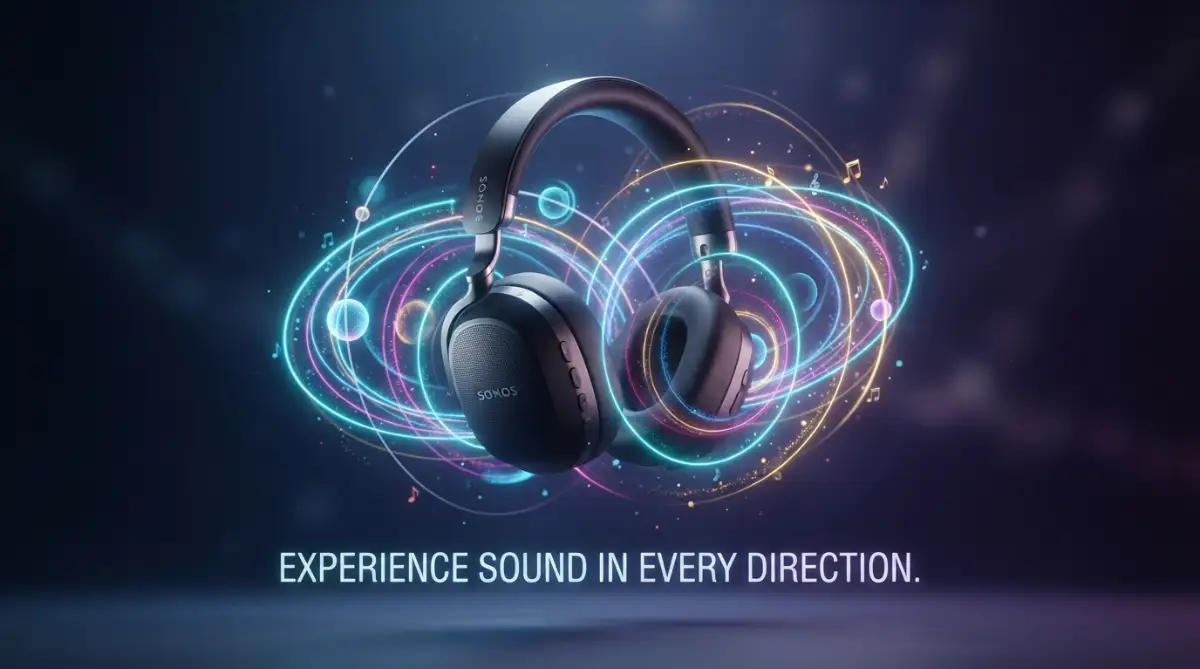
Decoding the Magic of Spatial Sound
Spatial audio is not just a fancy marketing term; it is a sophisticated way of mimicking how our ears naturally process sound. Think of it as 3D audio that tracks the position of the sound source relative to your head. While traditional stereo acts like two speakers sitting in front of you, spatial audio acts like an entire sound system hidden inside your ears.
If you are a bit confused about how 3D sound actually tricks your brain, watch this quick video below for a super easy visual breakdown. Check it out to see the magic in action, and then keep reading to learn how to perfectly set up your own headphones!
Step 1: The Role of Object-Based Audio Data
The foundation of this technology lies in object-based mixing. In the past, engineers mixed sounds into static channels like left, right, or center. Today, spatial audio treats each sound—a guitar, a drum, or a vocal—as an individual "object." These objects carry metadata that tells your headphones exactly where that sound should exist in a 3D bubble.
When you play this content, your headphones act as a translator. They read the data and place the sounds at specific coordinates around you. If a helicopter sounds like it is flying over your head in a movie, that is because the audio metadata told the system to place it in the "top" coordinate. It changes the way you perceive distance and direction.
Step 2: How Head-Tracking Changes the Game
One of the most impressive features of premium headphones is dynamic head tracking. Imagine you are sitting in a concert hall. If you turn your head to the left, the sound of the band stays anchored to the stage, even as your ears change position. Standard headphones move the sound with your head, which feels unnatural.
Premium headphones contain tiny sensors, such as gyroscopes and accelerometers, that track your head movements in real-time. If you turn your head, the spatial audio processor instantly adjusts the sound field. This keeps the audio "locked" in front of you, just like a real-world stage. This creates a level of realism that makes you forget you are wearing headphones at all.
Step 3: The Secret Power of HRTF
At the core of this technology is something called the Head-Related Transfer Function (HRTF). Your brain understands where a sound comes from based on how it reflects off your outer ear (the pinna) and how long it takes to reach each ear. Engineers have mapped these patterns into digital algorithms.
Your premium headphones use these HRTF algorithms to trick your brain. They apply tiny delays and frequency shifts to the audio signal. Even though the speakers are touching your ears, your brain perceives the sound as coming from a distance. This is the true breakthrough in audio engineering. It turns a small, portable device into a personal theater.
Why This Tech Is Changing Everything
This technology effectively removes the physical limitations of headphone hardware. You are no longer restricted to a flat line of sound between your ears. Instead, you gain a sense of scale and presence that was previously impossible without a room full of expensive speakers.
- Pro Tip: Always ensure your playback source—like a streaming app or video player—supports spatial formats.
- Experience the Difference: Try listening to a live orchestral recording with head-tracking turned on. You will notice exactly where each section of the orchestra is sitting.
- Focus on Compatibility: Ensure your premium headphones are firmware-updated to handle the latest spatial audio processing protocols.
By mastering the basics of how this technology works, you can make better choices for your audio gear. It is about moving away from the frustration of flat, fake sound. Embrace the depth of 3D audio and bring your digital world to life. Your ears will thank you for the clarity, the space, and the incredible realism .
Optimizing Your Immersive Audio Setup
Now that you understand the mechanics of spatial sound, it is time to push your setup to the limit. Most users stop at the basic settings, missing out on the full potential of their premium gear. You can transform your daily listening routine by paying attention to the software and environmental details that often go unnoticed.
Fine-Tuning Your Listening Environment
Digital audio is highly sensitive to the environment it is being played in. Even with the best hardware, your experience can suffer if you ignore the source quality. High-resolution audio streaming is the primary key to unlocking spatial depth. If you are using a low-quality bitrate, the "3D space" will feel hollow and artificial.
Check your streaming service settings to ensure you are selecting the "High" or "Lossless" quality option. This ensures that the metadata responsible for positioning sounds is preserved rather than compressed. Think of it as painting a picture; if your colors are dull and washed out, the final image will never look realistic.
My biggest mistake early on was using expensive headphones while still listening to low-quality music streams on default settings. Once I actually dug into my app preferences and turned on the high-resolution spatial formats, the sound instantly opened up around me. Always check your app settings first, or you are just throwing away the magic your gear is built to deliver.
The Role of Software Calibration
Many premium headphone manufacturers provide companion apps that allow you to calibrate the sound to your unique ear shape. This is often an overlooked step, yet it is a total game-changer. These apps use a simple camera scan or a listening test to build a custom audio profile for you.
When you calibrate your device, you are essentially aligning the hardware's output with your specific anatomy. This makes the virtual soundstage feel much wider and more accurate. It is like switching from a blurry image to a high-definition photograph; the difference in detail is immediate and clear.
Maintaining Your Audio Assets
Just as you need to keep your digital assets safe in a secure digital vault, you should treat your premium audio gear with the same care. Moisture and dust are the enemies of high-fidelity drivers. Keeping your equipment clean ensures that the tiny internal components function exactly as intended.
Proper maintenance also means checking for firmware updates regularly. These updates often include patches that improve how your headphones interpret spatial metadata. Spending five minutes on an update can often provide a more noticeable improvement than buying new cables or accessories.

Common Pitfalls That Ruin the Sound Experience
Even with high-end equipment, people often fall into traps that collapse the soundstage. Understanding these mistakes will save you from wasting the potential of your investment.
- The Equalizer Trap: Many users boost the bass so much that it bleeds into the mids and highs. This ruins the spatial separation, making the soundstage feel crowded and muddy.
- Ignoring Source Compatibility: Playing a mono or basic stereo track and expecting a "concert hall" effect is a common frustration. You must ensure that the music or movie is specifically encoded for spatial audio or Dolby Atmos.
- The "Volume-First" Habit: Turning the volume to the maximum level causes distortion in the drivers. It forces the sound to lose its intended placement, turning a clear 3D experience into a loud, messy blur.
- Poor Fit and Seal: If your earpads do not create a proper seal, low-frequency sound leaks out. This makes the music feel "thin" and destroys the immersion you are trying to achieve.
- Unnecessary Interference: Using multiple audio enhancement apps at once creates "digital conflict." Stick to the native processing provided by your headphone app rather than stacking software layers on top of each other.
The Consequences of Neglecting Setup
Ignoring these details does more than just annoy your ears. It can lead to unnecessary hardware wear. For instance, constant high-volume distortion can physically degrade the delicate membranes inside your headphones over time. Furthermore, if you are struggling with your tech, it is often a sign to simplify. Much like managing personal budget requires focus and clarity, managing your audio setup requires a systematic approach rather than guesswork.
A Final Path Toward Sonic Perfection
You are now equipped with the knowledge to distinguish between marketing hype and true acoustic performance. Real immersion is not about buying the most expensive gadget on the shelf. It is about understanding how to bridge the gap between digital data and your natural hearing.
Action Plan for Tomorrow
- Audit Your Library: Start by identifying which of your favorite albums are available in a high-fidelity, spatial-compatible format.
- Calibrate Today: Spend twenty minutes today running the calibration tool in your headphone's companion app.
- Test and Observe: Compare a standard track against a spatial-mixed track to hear how the positioning of instruments changes.
A Word from the Expert
True audio satisfaction comes from the small details. It is the subtle sound of a guitar string vibrating in the back left corner or the feeling of a voice moving across the room. These are the moments that make premium technology worth every penny. You have the power to elevate your daily routine from background noise to a cinematic experience. Start exploring the depth of your music today, and you will never want to go back to the old, flat way of listening. The world of sound is waiting for you—go ahead and experience it in full 3D.
Figuring out spatial audio totally revived my love for music, making every listening session feel like I am sitting in a private concert hall. You already have the knowledge to make this happen, so go grab your headphones and tweak those settings right now. Trust me, your favorite tracks are about to sound better than you ever imagined!
Disclaimer: This blog post is for informational purposes only. While I provide guidance on technology and audio optimization, I am not responsible for any hardware issues or sound quality discrepancies that may arise from changes in personal equipment settings. Always consult your manufacturer's user manual for specific technical support regarding your device.
THANK YOU